Keeping Kids Safe with Smart Phones
Keeping Kids Safe with Cell Phones
Cell phones are a staple of modern life, even for children. While they provide unparalleled connectivity and convenience, they also introduce risks that parents must navigate. This guide explores strategies to keep kids safe while empowering them to use technology responsibly.
1. Understanding the Risks of Cell Phones for Kids
1.1 Exposure to Inappropriate Content
The internet is a vast space where children may unintentionally encounter inappropriate content. Without safeguards, they could access harmful websites, violent media, or age-inappropriate games. Setting up parental controls and filtering software on devices can limit exposure and provide peace of mind.
1.2 Cyberbullying and Online Harassment
Cyberbullying is a growing issue among young users. A study by the National Center for Education Statistics found that over 15% of students experience online harassment. Parents should teach kids to recognize bullying, emphasize the importance of reporting incidents, and use monitoring tools to track interactions.
1.3 Privacy Concerns and Data Sharing
Many apps and websites collect personal data, which can lead to privacy breaches. Children may also inadvertently share sensitive information like their location or school details on social media. Educating kids about privacy settings and the dangers of oversharing is essential.
2. Essential Safety Features on Cell Phones
2.1 Built-in Parental Controls
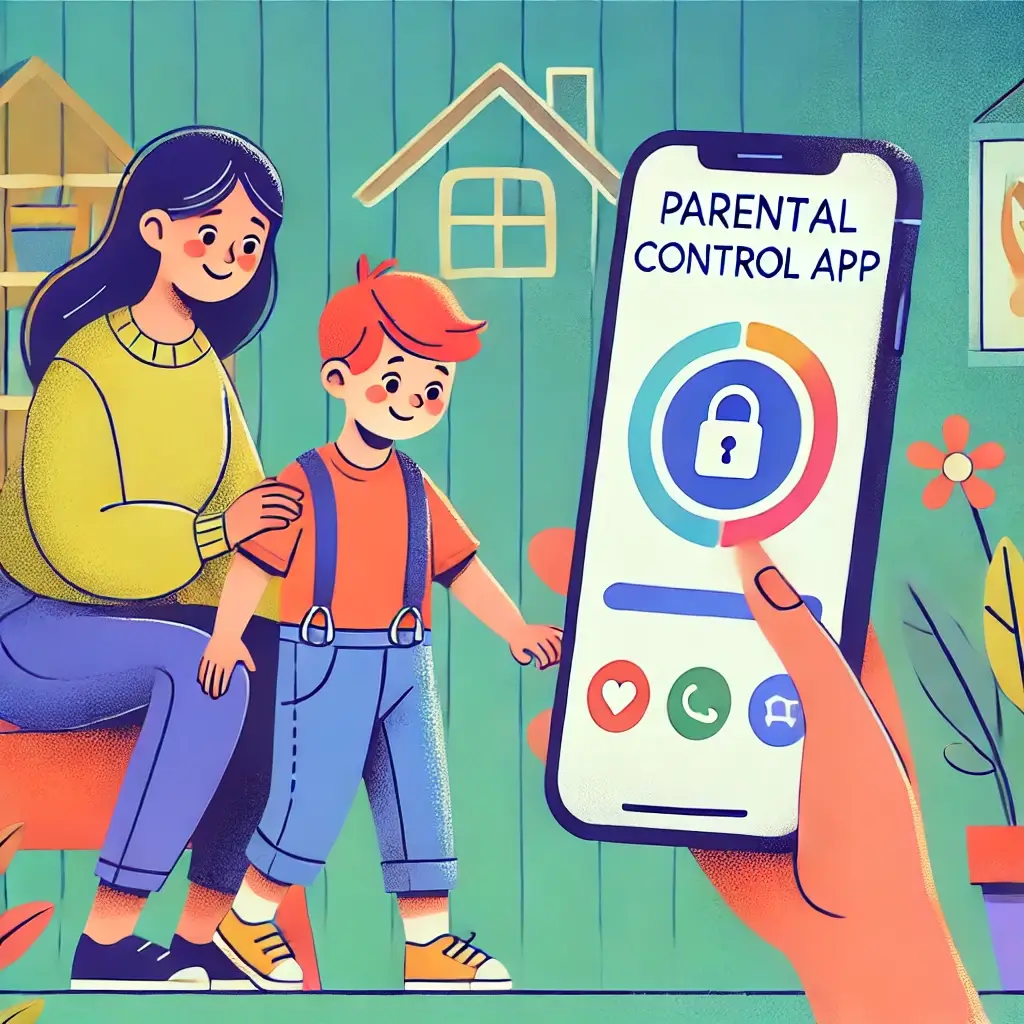
Both iOS and Android devices come equipped with robust parental control options. These tools allow parents to restrict app downloads, set time limits, and block explicit content. Familiarizing yourself with these features ensures a safer digital environment for your child.
2.2 Location Tracking and GPS
Modern cell phones include GPS technology, enabling real-time location tracking. Apps like Life360 and Find My Kids allow parents to monitor their child’s whereabouts, ensuring safety during travel or emergencies.
2.3 Emergency Features
Emergency contact options and SOS features can be lifesaving. Many devices enable users to press a button or use voice commands to call for help quickly. Teaching kids how to use these features ensures they’re prepared for unexpected situations.
3. Setting Rules for Cell Phone Usage
3.1 Creating a Family Cell Phone Agreement
Establishing clear guidelines helps set boundaries. A family cell phone agreement can include rules like limiting usage during meals, approving apps before downloading, and turning off devices during bedtime. Engaging kids in the process fosters mutual understanding and accountability.
3.2 Designating Safe Zones
Restricting cell phone usage in certain areas, such as bedrooms or study spaces, reduces distractions and promotes healthier habits. These designated safe zones help kids focus on offline activities and improve their well-being.
3.3 Monitoring Usage
Tools like Google Family Link and Apple Screen Time allow parents to track app usage, set daily limits, and view activity reports. While monitoring, it’s crucial to maintain trust by being transparent with your child about why these measures are in place.
4. Educating Kids About Online Safety
4.1 Teaching Digital Etiquette
Good digital etiquette is as important as manners in the physical world. Teach children to communicate respectfully, avoid harmful or negative comments, and never engage in online arguments. Emphasizing the importance of kindness fosters a positive online presence.
4.2 Recognizing Scams and Phishing
Phishing schemes and online scams often target vulnerable users, including kids. Show children how to identify suspicious links, avoid unknown contacts, and never share passwords or financial information. Encourage them to verify with a trusted adult before clicking on links or downloading files.
4.3 Importance of Open Communication
Maintaining open communication is the foundation of online safety. Encourage your child to share if they encounter uncomfortable situations online. By building trust, parents can ensure kids feel supported and confident in seeking help when needed.
5. Tools and Apps for Enhanced Safety
5.1 Best Parental Control Apps
Apps like Bark, Qustodio, and Norton Family offer robust parental controls. These tools monitor app usage, flag concerning content, and provide activity reports. Many also include location tracking and screen time management, making them comprehensive solutions for digital safety.
5.2 Safe Messaging Apps for Kids
Safe messaging apps like Messenger Kids and JusTalk provide a child-friendly platform for communication. These apps prioritize privacy and allow parents to control contact lists, ensuring kids can only communicate with approved individuals.
5.3 Filtering and Blocking Tools
Content filtering tools like Net Nanny and OpenDNS help block harmful or age-inappropriate material. These tools can be customized to filter websites, restrict specific searches, and provide usage insights, helping parents stay in control of their child’s browsing habits.
6. Encouraging Healthy Habits with Technology
6.1 Balancing Online and Offline Activities
Encouraging a balance between screen time and physical activities is vital. Promote hobbies, outdoor play, and family interactions to reduce reliance on digital devices. Setting an example by limiting your own screen time can inspire kids to follow suit.
6.2 Managing Notifications and Distractions
Constant notifications can disrupt focus and sleep. Help children disable unnecessary alerts and set focus modes during homework or bedtime. Many phones offer tools to limit distractions, like muting apps during certain hours.
6.3 Regular Tech-Free Times
Designate specific times for disconnecting from technology, such as during meals or family outings. These moments strengthen family bonds and encourage mindfulness, helping children develop a healthier relationship with their devices.
7. Legal and Ethical Considerations
7.1 Age-Appropriate Access to Devices
Determining the right age for your child to have a cell phone depends on their maturity and ability to follow rules. Many social media platforms have a minimum age requirement of 13, but parents should assess whether their child is ready for this responsibility.
7.2 Respecting Kids’ Privacy
While monitoring your child’s phone is essential for safety, respecting their privacy builds trust. Explain why you’re implementing controls and agree on boundaries. Transparency ensures children feel secure and respected while using their devices.
7.3 Adhering to Local Laws
Some jurisdictions have laws governing parental monitoring and children’s online privacy. Familiarize yourself with local regulations to ensure your practices comply with the law. For instance, many countries have strict rules about data collection from minors.
Conclusion
Cell phones offer numerous benefits but come with challenges that require active management. By understanding risks, leveraging safety features, and fostering open communication, parents can create a secure environment for their children. Encouraging healthy habits and balancing technology with offline activities helps kids develop a positive and responsible relationship with their devices.
Ultimately, keeping kids safe with cell phones is about building trust, maintaining transparency, and staying informed about evolving digital trends. With the right tools and strategies, parents can empower their children to navigate the digital world safely and confidently.
FAQs
1. What is the right age for a child to have a cell phone?
There’s no universal age, but experts suggest waiting until children demonstrate responsibility and understand basic online safety. For younger kids, starter phones with limited functionality may be a good option.
2. How can I monitor my child’s phone without invading their privacy?
Use parental control tools transparently and involve your child in the process. Explain the purpose of monitoring and agree on guidelines that balance safety with trust.
3. Are there cell phones designed specifically for kids?
Yes, phones like Gabb Wireless and Pinwheel are designed for kids. These devices limit access to internet browsers and apps, focusing on essential features like calling and texting.
4. What are the best parental control apps for Android and iOS?
Top parental control apps include Bark, Qustodio, Norton Family, and Family Link. These apps offer features like screen time monitoring, content filtering, and location tracking.
5. How can I help my child manage screen time effectively?
Set clear rules about usage, utilize screen time monitoring tools, and encourage engaging in offline activities. Leading by example and establishing device-free zones at home can also reinforce healthy habits.