
Beware Tech Support Scams – How to Spot and Avoid Fraudulent Calls (UK Guide)
Tech support scams represent a widespread form of damaging fraud which attacks both UK family members and small business owners throughout the country. Scammers use sophisticated tactics to trick people during both work-at-home sessions and online browsing sessions in order to obtain financial resources or control over their computer systems.
The goal at BM Technologies is to ensure safety for all our customers and their neighbours. The following information serves as crucial knowledge for every UK resident along with businesses.
What Are Tech Support Scams?
You will typically receive an unexpected call or email or pop-up notification from what appears to be Microsoft or BT or your broadband provider claiming to assist you. A scammer presents false information about crucial computer problems or internet issues while demanding payment or device access.
Key fact:
According to Action Fraud, thousands of UK victims lose millions every year to tech support scams. In 2023, the average loss per scam was over £1,000.
How Do These Scams Work?
The scam begins with a sudden telephone call which impersonates staff from Microsoft or BT or Sky or Virgin Media or other recognized technology companies. The person calling you might reveal both your name and home address despite the fact that they obtained this information through public records or outdated data breaches.
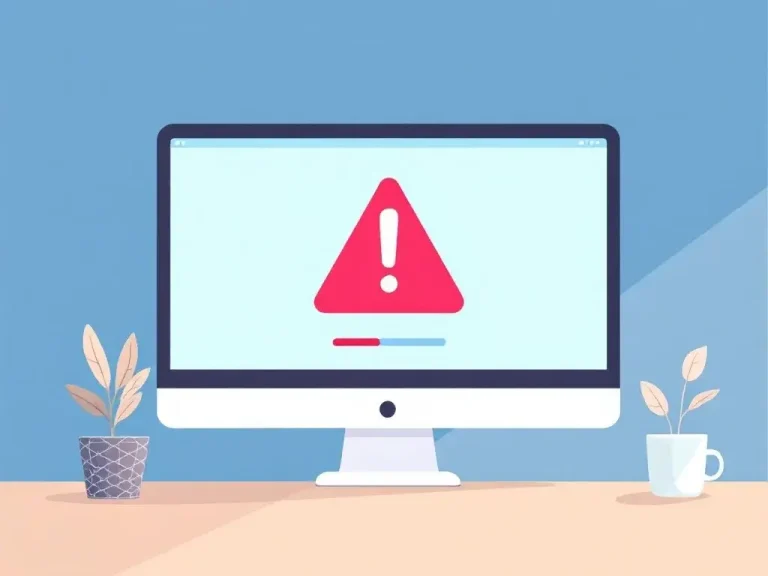
Pop-up warnings appear on the internet during your browsing session as one of the main tactics used by scammers. A pop-up alert displays a fake warning about a supposed “virus” or “security risk” that demands your immediate phone call for assistance. The pop-up interfaces present themselves as urgent official notifications but represent false information.
The scammers use email and text message communications to notify victims about security threats on their computers and online accounts which require immediate action. The messages will create a sense of urgency that forces you to act immediately.
Scammers gain control of your computer by making you install remote access software programs such as AnyDesk or TeamViewer after they gain your attention. Scammers will ask for your passwords along with payment details by pretending to address a technical problem. They will then pressure you to pay for fake repairs and additional unnecessary antivirus software and pretend refund processing fees which serve as another method to steal your money.
Red Flags – How to Spot a Tech Support Scam in the UK
- Unsolicited contact: When you get an unexpected message from a tech company about computer problems it should be considered a scam because they will never contact you without your reported issue. Microsoft and BT together with other legitimate tech companies will never initiate unsolicited contact to resolve unreported computer issues.
- Urgent or scary language: Scammers create a sense of panic by stating your computer has been hacked or infected with a virus and you need to take immediate action. They aim to make you take hasty choices without thinking through your actions.
- Requests for remote access: When someone you don’t know or trust demands you to download software which enables them to access your computer it should raise serious suspicions. IT support services including BM Technologies will only gain access to your device after you request help and they must identify both you and the purpose of the request.
- Payment demands: Scammers require payment through unconventional methods including bank transfers and gift cards as well as cryptocurrency transactions. Legitimate tech companies will never require payment for technical support through bank transfers or gift cards or cryptocurrency transactions.
- Fake caller ID: Scammers manipulate their phone numbers to display fake UK caller ID or show fake names such as “Microsoft” or “BT” when you receive a call. You should never rely solely on the caller ID when receiving unexpected calls.
What Should You Do if You’re Contacted?
- An immediate hang-up represents the best course of action when you receive unsolicited calls or messages that offer technical assistance. Scam activity exists whenever you receive unsolicited help offers.
- The safest response to computer pop-up warnings that show phone numbers for technical support is avoiding contact with those numbers. Pop-up windows should never display legitimate company tech support phone numbers for contact purposes.
- You should never install remote access software or give your login details to unexpected contacts who ask for them. You should only grant remote device access to trusted IT providers whom you personally contacted.
- Contact your broadband or computer provider through phone numbers from your bill and official company website whenever you experience genuine worries instead of using numbers that appear unexpectedly.
If You’ve Been Targeted or Scammed
- You should immediately cut off your device from the internet when you suspect a scammer has targeted you. Your computer access will be blocked after this action.
- All important accounts such as online banking, email, and shopping websites require you to change your passwords right away. Every account needs to have its own distinct password that is complex.
- You should perform a security scan using reputable antivirus software to check for both malicious programs and viruses that may have been installed.
- Report all incidents to Action Fraud which operates as the UK’s national fraud and cybercrime reporting centre at https://www.actionfraud.police.uk/. The reporting process enables authorities to track down scammers while blocking potential future crimes.
- Tell your bank immediately whenever you give payment details or transfer money to someone who turned out to be a scammer. The bank will possibly help you stop a payment or retrieve lost funds.
Tips to Stay Safe (BM Technologies’ Advice)
- Keep your operating system together with your antivirus software always updated to protect both yourself and your family. The process of regular updates fixes security vulnerabilities which scammers attempt to use for their advantage.
- You should teach everyone in your family and work environment about the dangers of tech support scams, particularly those who lack technical confidence. Open discussions about risks will increase vigilance among all people.
- Two-factor authentication should be activated on every significant online account because this additional security protects your data when passwords become compromised.
- Save the official support websites for your broadband and tech providers to ensure you have correct contact information for genuine help needs. The practice of bookmarking official support pages will help users steer clear of fake websites and telephone numbers.
Final Thought
Tech support scams affect everyone including those with complete computer knowledge. Always pause when you receive any uncertain phone calls or messages or pop-ups before taking action. If you need help with your computer or broadband, reach out to BM Technologies or speak with a trusted local IT support provider or a family member before making any moves. No genuine company will ever force you to act hastily or make immediate payments through telephone calls.