How to Properly Clean Your Laptop and Keep It in Top Condition
Your laptop functions as your main personal computer. The device requires proper maintenance regardless of its purpose as a work tool or study aid or entertainment device. The accumulation of dust and dirt and grime throughout time can result in overheating problems and sticky keys and potentially cause permanent hardware damage. Regular maintenance activities will help you keep your laptop clean while extending its operational life for several years.
1. Gather the Right Cleaning Supplies
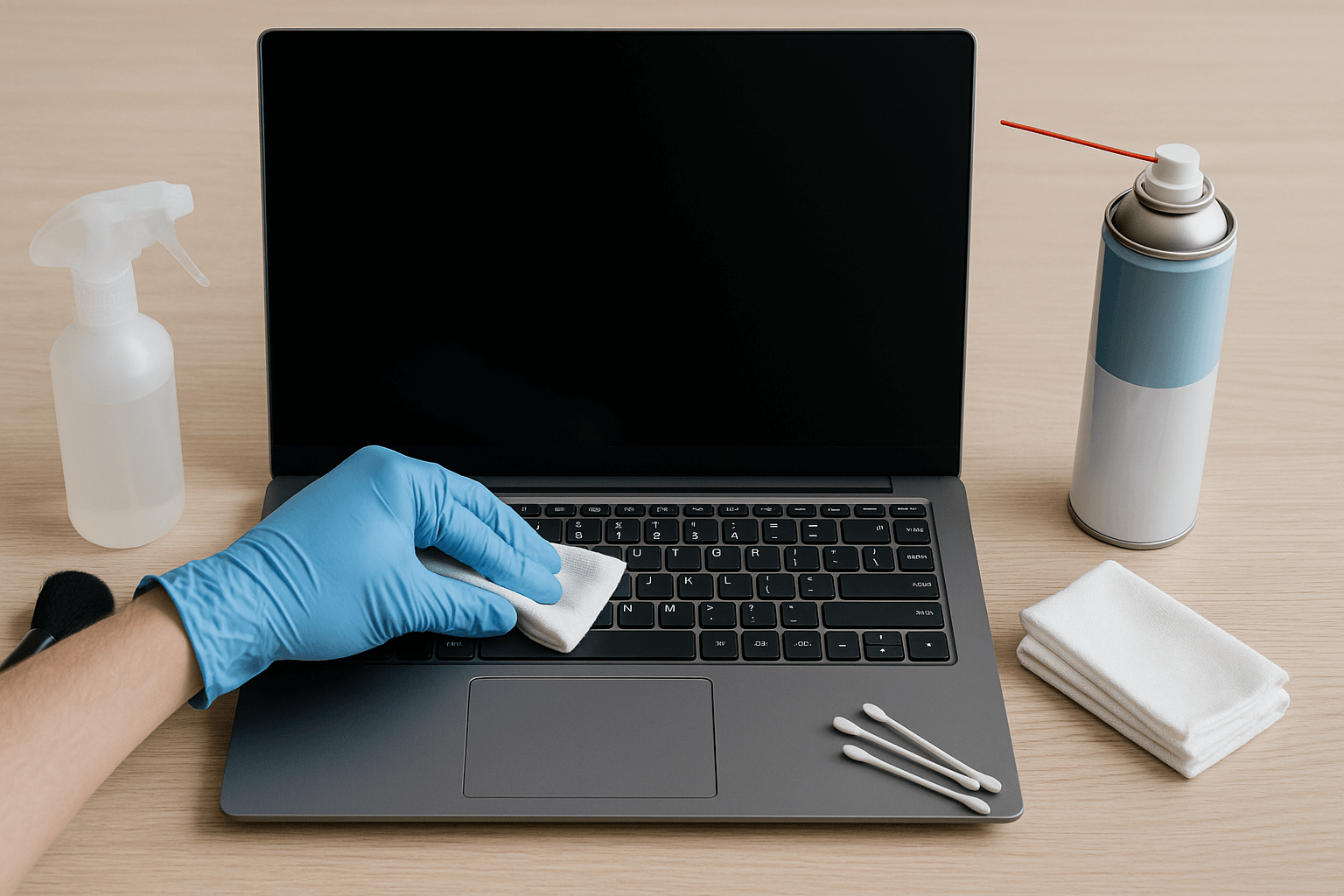
Begin by making sure you have all the required tools needed to finish the work. You should never use rough chemicals or abrasive materials because they will harm your laptop. Instead, prepare a soft microfiber cloth, some isopropyl alcohol (70% or higher), a can of compressed air, cotton swabs, and a small soft brush such as a clean makeup or paintbrush. These items are inexpensive and safe for electronic devices.
2. Power Down and Unplug
Always turn off your laptop and disconnect it from its charger before cleaning. If your model allows it, remove the battery as well. This simple step reduces the risk of accidental short circuits or damage while you are working on the device.
3. Clean the Exterior
Begin by examining the exterior components of your laptop. Lightly dampen a microfiber cloth with a small amount of isopropyl alcohol and gently wipe down the lid, bottom, and sides. This will remove fingerprints, dust, and dirt. You should never spray liquid directly onto your laptop because it can cause moisture to penetrate into sensitive areas. Always apply liquid to a cloth before using it to clean your laptop.
4. Keep the Screen Smudge-Free
The surface of laptop screens tends to attract fingerprints and dust particles at a fast rate. Light smudges can be removed using a dry microfiber cloth. A cloth with water or screen-safe cleaning solution at a low level of dampness should be used to remove more difficult stains. Always wipe gently without applying too much pressure, as laptop screens are delicate and can be easily damaged.
5. Tidy Up the Keyboard
Keyboards are one of the dirtiest parts of a laptop because crumbs, dust, and oils from your fingers build up between the keys. Hold the laptop upside down and gently tap it to dislodge loose debris. Then, use short bursts of compressed air to blow away anything stuck between the keys. Finally, wipe the surface of the keys with a cloth lightly dampened with isopropyl alcohol, and use cotton swabs to reach the narrow spaces around each key.
6. Maintain the Vents and Fans
The presence of dust inside vents causes equipment temperatures to rise which results in reduced operational performance. Use compressed air to clean the vents by delivering short bursts of air instead of maintaining continuous trigger pressure. If you can see the fan blades, hold them still with a small tool such as a toothpick while you clean. The design of the motor prevents excessive spinning which would result in equipment damage.
7. Good Habits to Keep Your Laptop in Great Condition
Good day-to-day habits are equally important to occasional deep cleaning. Always store your laptop in a sleeve or case when transporting it to protect it from scratches and dust. Your laptop will suffer permanent damage from any liquid exposure that occurs when you consume food or beverages in its vicinity. When using your device, place it on a hard, flat surface so that the ventilation is not blocked by soft materials like bedding or cushions. To maintain performance, give your laptop a light clean every month and a more thorough clean every few months.
8. Teaching Kids to Care for Their Devices
Children use laptops and tablets for schoolwork and gaming and watching videos but these devices tend to get dirty fast. Teaching children to maintain clean technology serves two purposes because it protects their devices while teaching them responsible behavior. Begin by demonstrating to them the proper method of using a microfiber cloth to clean screens and keyboards with care. Set simple rules such as no eating or drinking near their devices. Family routines can develop from supervised cleaning tasks which combine entertainment activities with teaching children about responsibility. Most importantly, explain why it matters. Children will protect their devices better when they understand that dust and crumbs and sticky fingers can damage their devices and slow them down.
Final Thoughts
The laptop cleaning process takes only a short time to complete yet produces substantial advantages for system performance and extends the life of your equipment. A device that receives proper maintenance operates at lower temperatures while keeping its appearance and extending its operational lifespan. By teaching children these same habits, you not only help protect their devices but also instil valuable digital responsibility. The time you spend on maintenance will result in better system performance and reduced maintenance costs and extended laptop lifespan.